Invoices
Check payment instructions and distinguish observations from payment.
Step by step
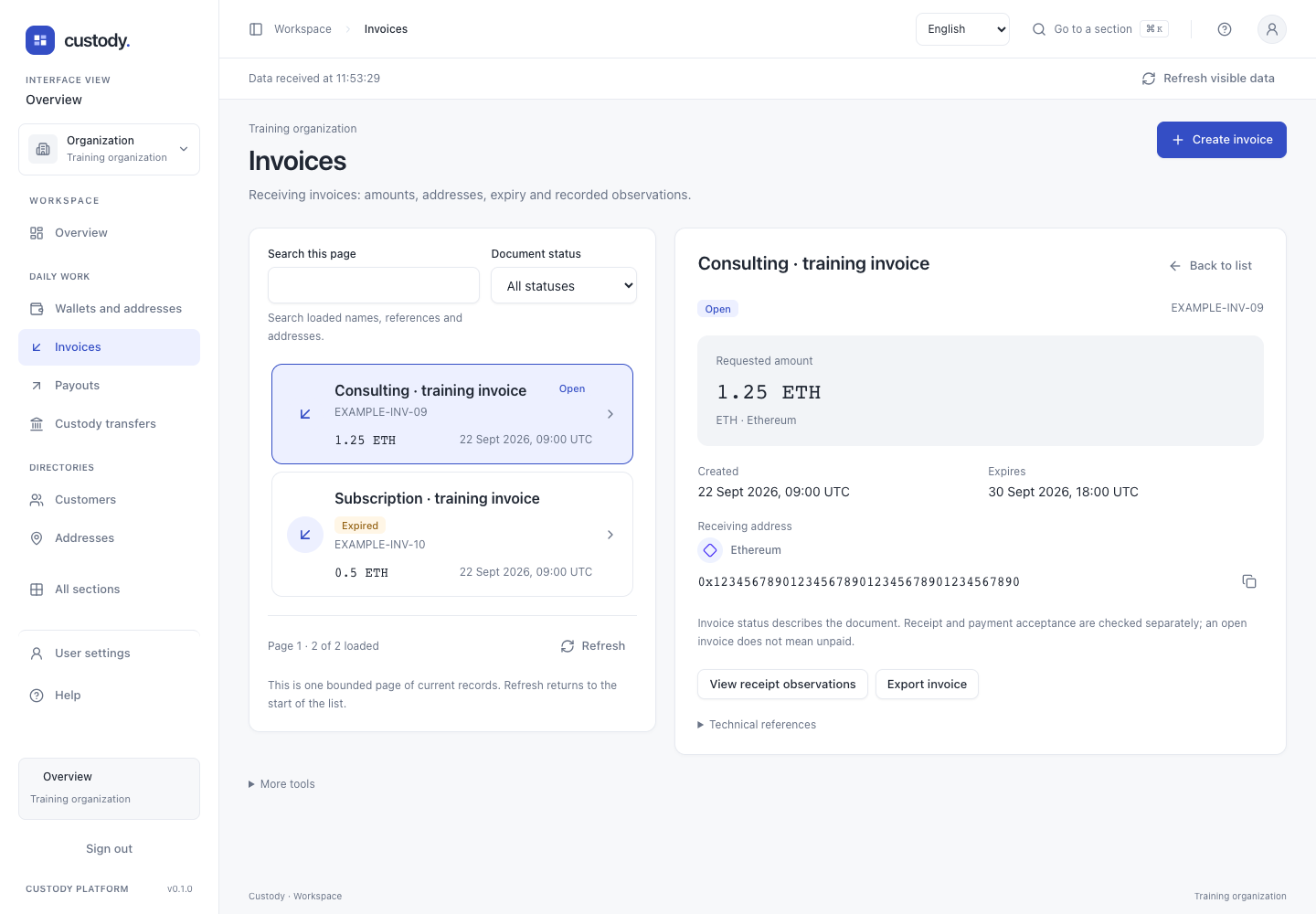
- Open Invoices to see a working list. Search covers the loaded page; Document status filters on the server. Previous/Next page retain that filter. Refresh starts at the first page.
- Select a record to see its name, reference, exact amount, UTC dates and full receiving address. Copy address copies its complete value. Technical references contains internal identifiers and atomic units.
- Open, Expired and Cancelled describe the document. They do not mean unpaid or paid. Stored receipt observations do not synchronize the network.
- Available actions use the selected invoice. More tools → Advanced operations opens the full permitted tools without changing your saved workspace view.
- On a phone, selecting a row moves focus to its details. Back to list restores focus to the selected row.
Working details
To create an invoice, choose an active external Wallet, its active network/account and a proved receiving address. Enter a name, unique reference, asset, positive amount in asset units and local expiry; review shows UTC and exact atomic units. Optional Customer is the intended payer only. An address is assigned to one Invoice permanently, including after expiry/cancellation. Review, then confirm with your security key. Change selection works before submission; an unknown result retains its original key and terms.
Interface