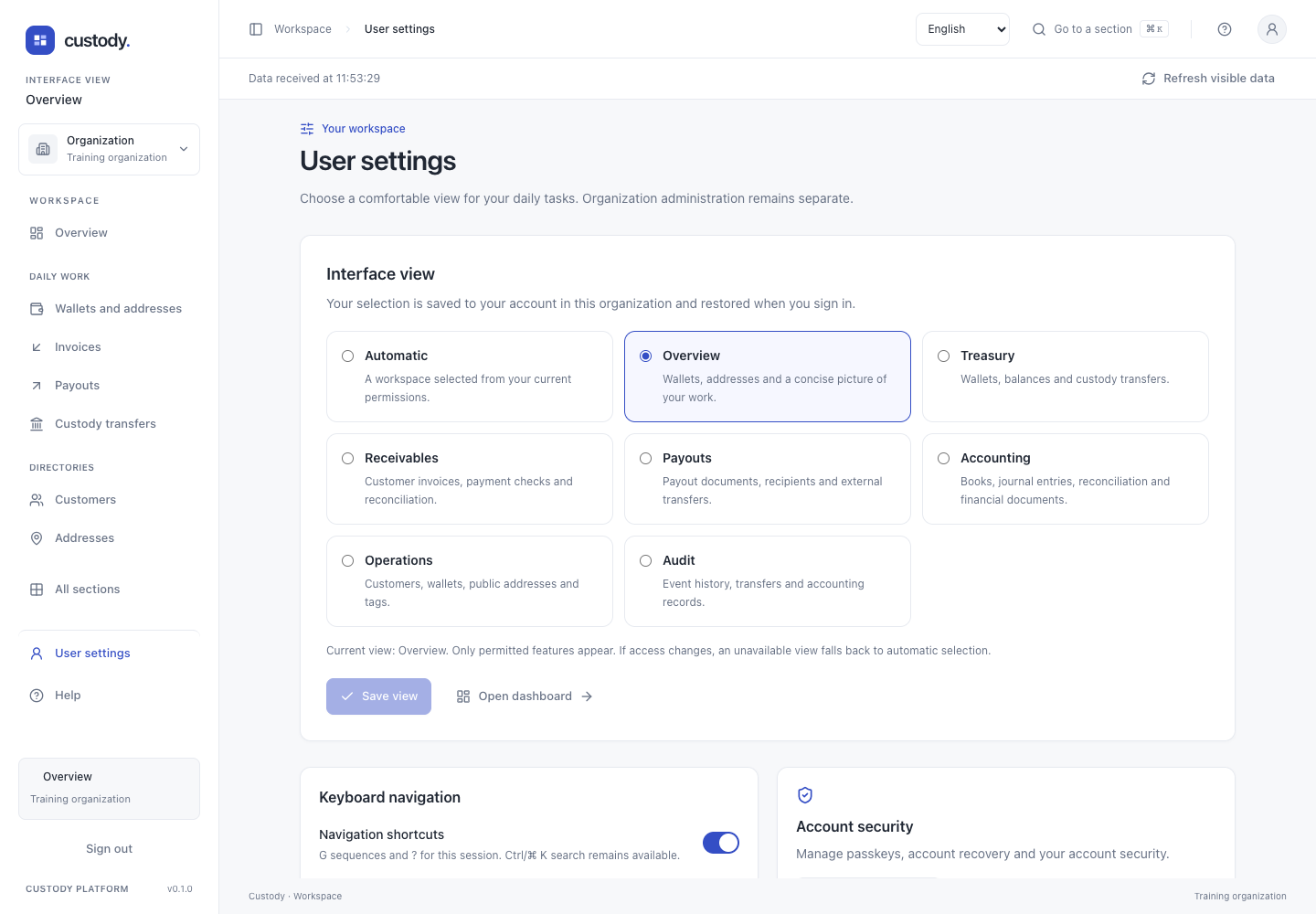
User settings and views
Choose a focused workspace and save it to your own organization account.
Step by step
- Open User settings from the profile icon or sidebar, or press G then S outside a form.
- Choose Automatic, Overview, Treasury, Receivables, Payouts, Accounting, Operations, Audit or Administration from the views available to you. The short menu and dashboard adapt to that work.
- Press Save view and complete device verification when prompted. The saved confirmation means the server has retained the selection. The same account restores it after a new sign-in; other accounts keep their own choice.
- Open dashboard to use the view. All sections and Ctrl/⌘ K still reach every permitted tool, including the detailed configuration screens.
- If your rights or enabled features change, an unavailable saved view falls back to Automatic. Choosing a view never grants permissions.
- Keyboard navigation can be disabled for this session. Account security opens passkey and recovery management. Language is selected in the top bar.
Interface