Wallets and addresses
Find a wallet, copy its full address and read balances in their correct context.
Step by step
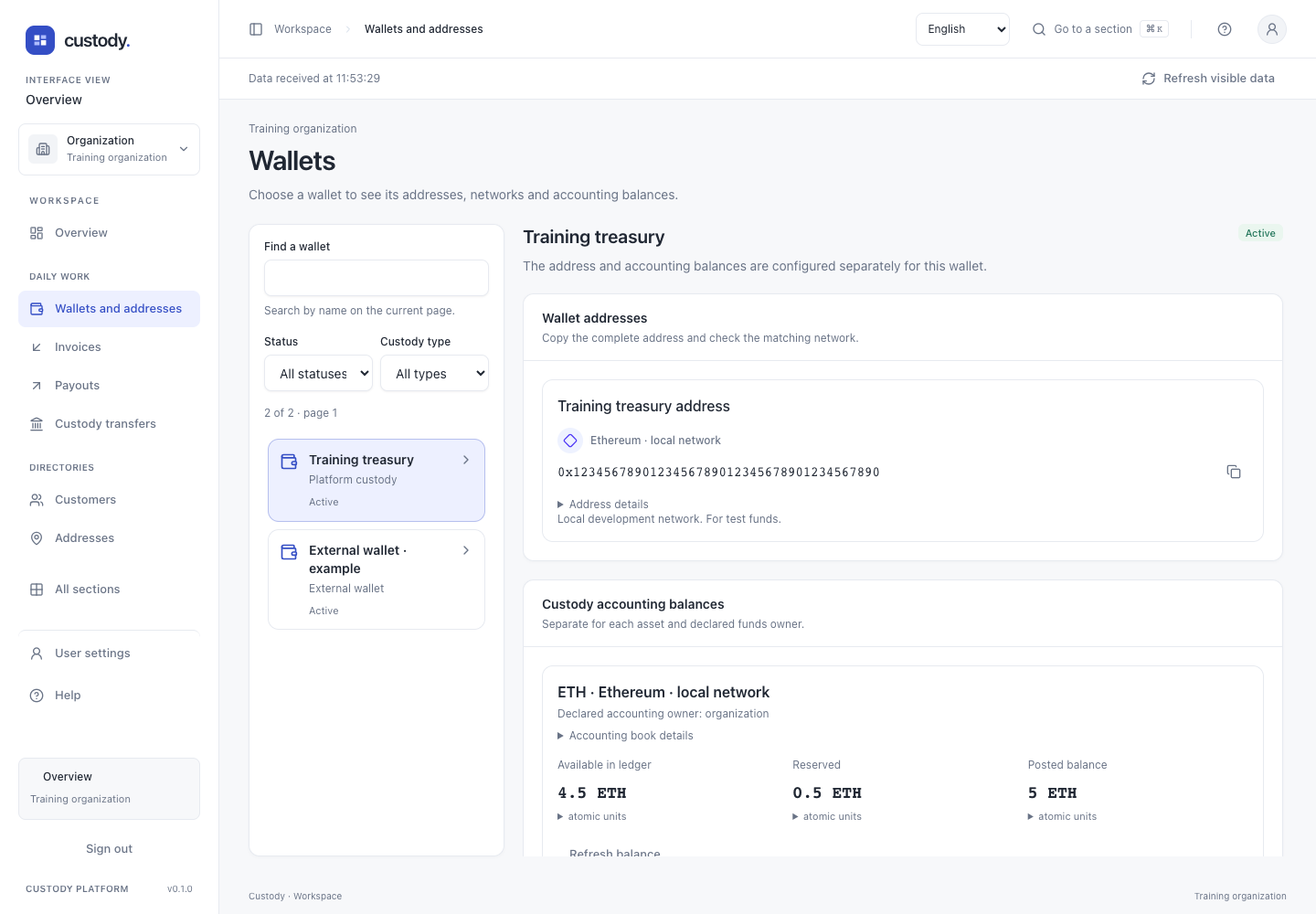
- Open Wallets. The first wallet on the loaded page is selected automatically. Search by name or use Status and Custody type to narrow this page; the count is for this page, not the whole organization.
- Select another wallet in the list. On a phone, View selected wallet moves to its details. On a computer, the list and details scroll independently; both support keyboard navigation.
- Check the name and network icon before using Copy address. The shared address card copies the full address; Address details retains the exact network and resource IDs. If the clipboard is unavailable, select and copy the full address manually.
- Read each asset separately. Custody balances distinguish available, reserved and posted amounts. Expand atomic units for the exact whole value, or Accounting book details for the canonical asset, book and declared customer identifiers.
- Check on-chain balance, when available, performs a new explicit observation. Its time and block describe one provider observation; it is not a custody balance or transfer permission.
- Clear filters to restore the current list. Use the next wallet page or Check next page on the incomplete balance list to load another bounded page. Retry loading repeats a failed read without creating records.
- Wallet actions is shown only when permitted and opens the existing operation section. Member preview remains read-only and omits this shortcut.
Creation and lifecycle
With wallet-create access, open Wallet actions and choose creation. Enter a name and custody type, review the values and verify with your device. The custody type is immutable after creation.
Renaming changes metadata. Disabling preserves records and history; it does not revoke an external private key or cancel an already signed transaction.
External source and control proof
For an active external wallet, register the public address first. Use the available binding operations to obtain the exact control challenge and sign it with your external wallet. Submit only the required public proof, never a private key or seed.
A successful proof is bound to the exact address, network, wallet and user context. It cannot be reused for another address. Each derived address of a public HD branch also needs its own proof.
Platform seed/BIP39 import is not implemented. Public HD branches do not establish shared seed ancestry; someone retaining an external key copy can act outside the platform.
Interface